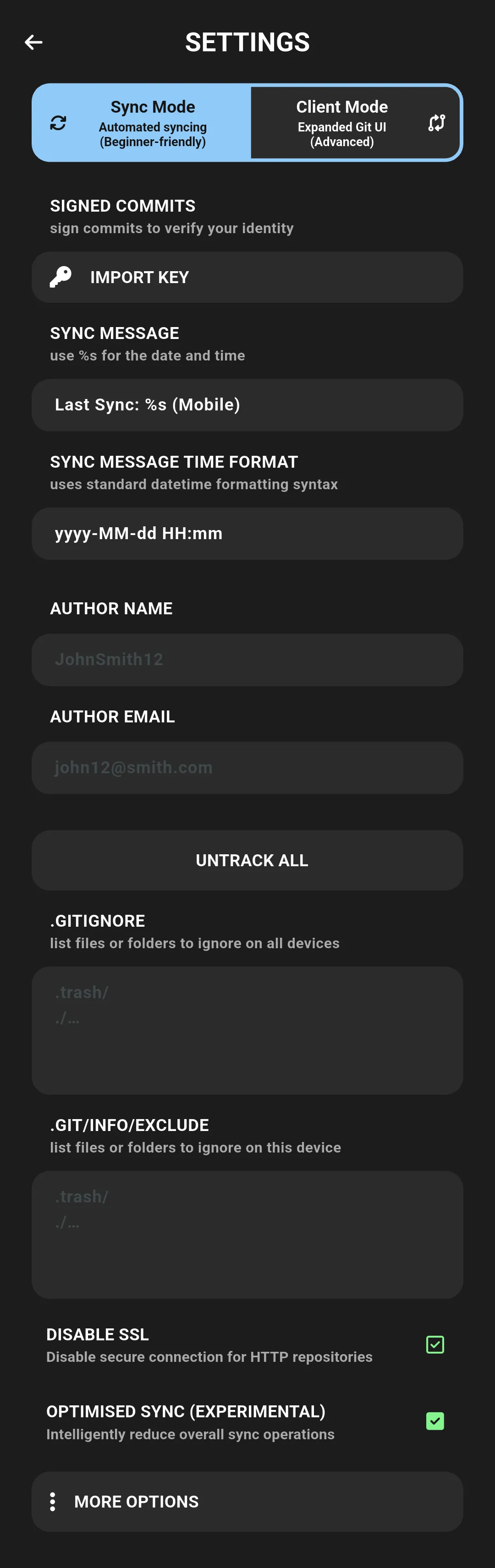
Extra Settings
- Turn on/off the small popup message on screen when a sync happens
Sync/Client Mode Toggle
- Toggle between Sync Mode and Client Mode to suit your workflow preferences.
- For further details and instructions on how to use this feature, please refer to Sync Mode vs Client Mode.
Signed Commits
- Enable signed commits using your SSH key (currently only supports SSH keys, not GPG/PGP)
- When enabled, commits made during sync will be signed using your configured SSH key
- This requires:
- An SSH key pair already set up and registered for authentication & commit signing OR
- A private key registed for commit signing ready to import for use
- Note: This feature does not support GPG/PGP signing at this time. Only SSH-based commit signing is available.
Sync Message
- Customise the commit message template that is used on sync
- Use
%sto insert the current date/time - Time format for
%sis set separately (see Time Format)
Sync Message Time Format
- Set custom strftime format for %s in the sync message
- Example:
%d/%m/%y %I:%M %p - Leave blank to use default:
yyyy-MM-dd HH:mm:ss - Free text input; no validation
Author Name + Email
- Customise the name and email of the author used for commits
Default Remote
- Modify the default remote used for operations
.gitignore
- Allows editing of the repository’s
.gitignorefile (also manageable via the File Explorer) - A list of files and folder paths that should not be synced
- See here for more
.git/info/exclude
- Allows editing of the repository’s local gitignore file (at
.git/info/exclude) - A list of files and folder paths that should not be synced
- See here for more
Disable SSL
- Toggle SSL certificate verification for Git operations
- Equivalent to
git config --global http.sslVerify {true/false} - Disabling may be useful for self-signed certs but is insecure and not recommended
Optimized Sync
- Minimizes unnecessary pushes and pulls based on changes detected, thereby enhancing performance and efficiency.
- This feature aims to work silently in the background to improve your experience without manual intervention.
See also: Authentication Methods, File Explorer, Sync Mode vs Client Mode